
Quick Summary
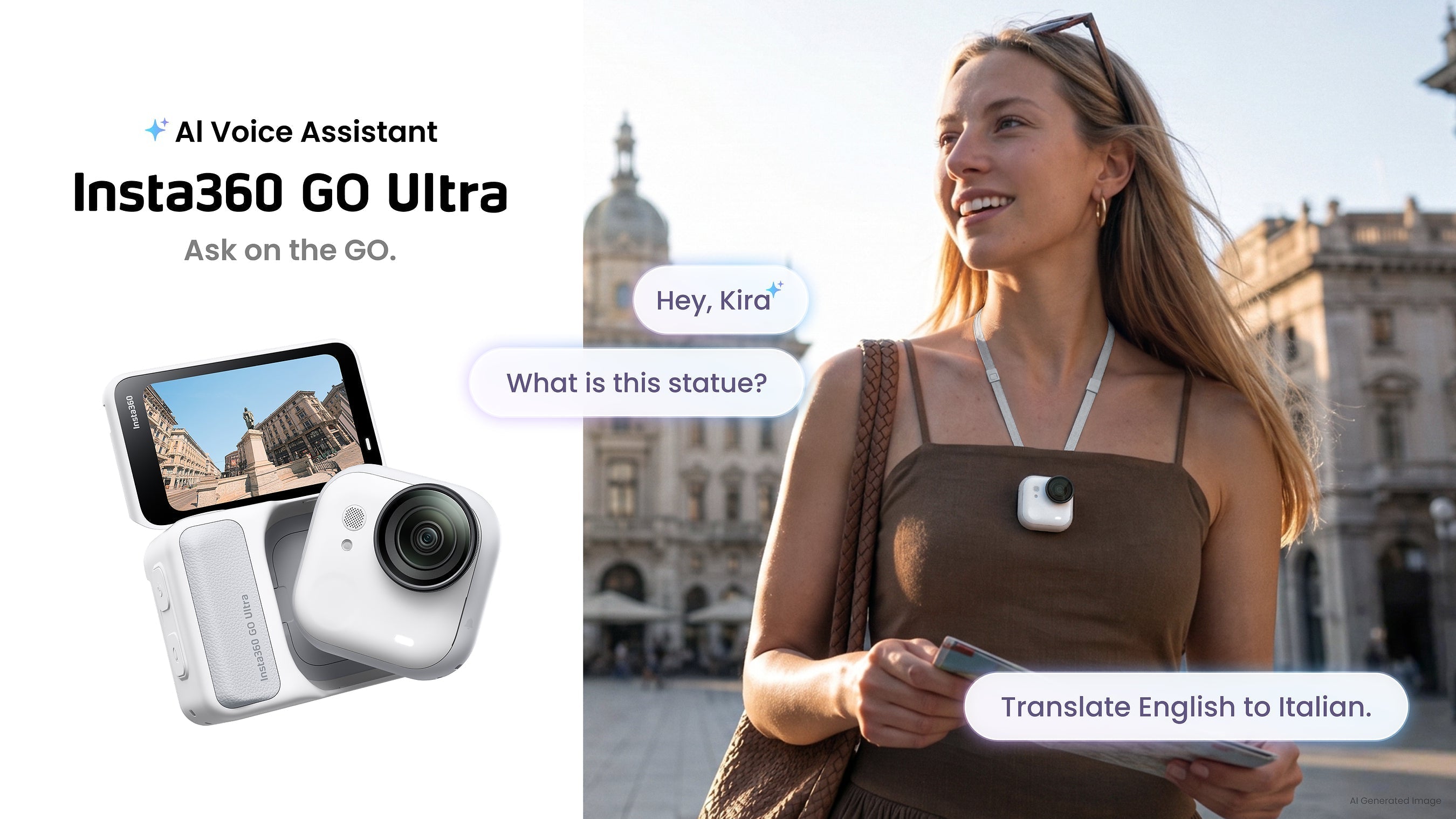
The Insta360 GO Ultra is no longer just a small wearable action camera. A new Gemini-powered AI assistant called Kira can analyse what the camera is facing, answer spoken questions, translate unfamiliar text and help you understand what is happening around you.
In other words, the GO Ultra is beginning to behave a little more like a pair of AI glasses. Except that, in this case, you can clip it to your shirt, mount it on a helmet, hold it in your hand or position it somewhere your glasses cannot go.
What is the Insta360 GO Ultra AI assistant?
The GO Ultra AI assistant is a new software feature that lets you ask questions about the world around you using the camera and your voice.
According to Insta360’s announcement , the assistant is powered by Google Gemini and is activated by holding the shutter button or saying, “Hey, Kira,” while the camera is switched on.
This is different from the GO Ultra’s existing Voice Control.
Voice Control lets you give the camera direct commands. Kira is designed to handle more open-ended questions, interpret visual information and respond conversationally.

Ask with Photo: point the camera and ask
Ask with Photo allows Kira to analyse what the GO Ultra is facing and answer a question about it.
You could point the camera at:
- A road or information sign you do not understand.
- A landmark or historical building.
- A plant, object or product you want identified.
- An exhibit in a museum.
- A menu written in an unfamiliar language.
Instead of taking out your phone, opening an app and uploading a photo, you ask the question through the camera.
That is where the “AI assistant with eyes” description comes from. The camera provides the visual input, while Gemini analyses the image and generates an answer.
Keep in mind: The answer can still be wrong. Visual AI should be treated as a useful guide, not an unquestionable authority— particularly for medical, legal, safety or navigation decisions.

Ask by Voice: get information while staying in the moment
Ask by Voice lets you ask broader questions without necessarily pointing the camera at a specific object.
For example:
- What local food should I try?
- What is the weather expected to do?
- What are the main attractions nearby?
- Is this a reasonable price for a souvenir?
- What should I know about the area I am visiting?
For creators and travellers, the benefit is simple: less time stopping to look at a phone.
You can keep walking, filming or exploring while asking for information. That could be particularly useful when the GO Ultra is attached to its magnetic pendant or another hands-free mount.
Real-time translation comes to a wearable camera
Kira can reportedly provide real-time translation, helping two people communicate when they do not speak the same language.
This could be one of the update’s most practical functions.
South Africa has 12 official languages, and local creators frequently travel between regions with different languages and cultural contexts. Add international travel, and a small wearable translation device starts to make much more sense.
It is important to keep expectations realistic. Automated translations can miss tone, context, slang and local expressions. Language availability may also vary by region.
So for now it's more of a conversation assistant than a full-blown translator.
Why Voiceprint Recognition matters
Voiceprint Recognition is designed to help Kira identify the owner’s voice in a noisy environment.
A wearable camera will often be used around traffic, crowds, music, wind and other conversations. Without some way of distinguishing your voice, an assistant could struggle to work out whether a command was meant for it.
Insta360 says Voiceprint Recognition helps Kira separate the user’s voice from the noise around them. How well it works in a busy Johannesburg street, at a festival or on a windy Cape Town hike will be one of the more interesting things to test.
GO Ultra AI assistant vs Ray-Ban Meta
Both devices combine cameras, microphones and visual AI, but they are designed for different ways of capturing and interacting with the world.

The obvious comparison is with Ray-Ban Meta and other Meta AI glasses .
| Feature | Insta360 GO Ultra | Ray-Ban Meta |
|---|---|---|
| Primary design | Wearable action camera | Smart glasses |
| Visual questions | Yes, through Ask with Photo | Yes, through Meta AI |
| Spoken questions | Yes | Yes |
| Translation | Supported, subject to regional availability | Supported languages and regions vary |
| Positioning | Clip, mount, hold or reposition | Worn on your face |
| Action footage | Core purpose | Secondary capture function |
| Open-ear audio | Requires a separate listening setup where applicable | Built into the glasses |
| Best fit | POV creators, travellers and action-camera users | Everyday wearable AI, audio and capture |
The GO Ultra is not a direct replacement for AI glasses. It does not give you speakers built into the frame or the same always-worn experience.
What it gives you is flexibility.
You can move it from your chest to a helmet, bicycle, pet harness or handheld position. It also remains a purpose-built action camera capable of recording the experience you are asking about.

What this means for South African users
The important part is not simply that another device now has AI. Visual AI is moving into a camera people already use for travel, sport and everyday POV footage.
Possible South African use cases include:
- Asking for context about a landmark while filming a road trip.
- Translating signs or basic information while travelling.
- Identifying something encountered on a hike.
- Getting quick information without handling a phone while walking.
- Adding spoken questions and discoveries to a travel video.
- Using one device for POV capture and situational assistance.
This creates an interesting middle ground between action cameras and smart glasses. Someone who likes the visual-assistant functions of Ray-Ban Meta, but does not want to wear glasses all day, now has another form factor to consider.
Is Kira available in South Africa?
The AI Voice Assistant began rolling out through the Insta360 app on 7 August 2026, but availability may differ by region and language.
Coverage of the update reports the same regional-availability qualification.
South African owners should update both their Insta360 app and GO Ultra firmware, then check whether the AI assistant appears in their camera settings.
If the feature does not appear immediately, it may be part of a staged rollout rather than a problem with the camera.
Editorial note: Availability and language support can change. This section should be updated once Kira has been independently tested on a South African account.

Privacy still matters
The camera may be more capable but you still need to respect the people around you.
When using the GO Ultra in public or shared spaces:
- Follow local rules governing photography and recording.
- Ask permission before recording private conversations.
- Avoid capturing sensitive personal information.
- Do not assume that everyone has noticed the camera.
The GO Ultra’s small size is one of its strengths, but that also makes responsible use more important.
A useful update or another AI gimmick?
On paper, translation, visual questions and hands-free information all make sense on a wearable POV camera.
The real answer will depend on how reliably Kira works in everyday situations.
The bigger idea is even more interesting: AI assistants are no longer limited to phones and glasses. They are starting to move into cameras that can be worn, mounted and repositioned around the world you want them to interpret.
Your GO Ultra was already able to record what you see. Now it can help you understand it better.
Explore the Insta360 GO Ultra
Shop the GO Ultra and compatible accessories with South African stock visibility, local support and fast delivery in SA.
Explore Insta360 GO UltraFrequently asked questions
Does the Insta360 GO Ultra have an AI assistant?
Yes. Insta360 has announced a Gemini-powered AI Voice Assistant called Kira for the GO Ultra. Availability may vary by region and language.
How do I activate Kira on the GO Ultra?
Insta360 says Kira can be activated by holding the shutter button or saying, “Hey, Kira,” while the camera is switched on. The latest app and camera firmware may be required.
Can the GO Ultra translate signs?
Ask with Photo is designed to analyse unfamiliar text and provide an interpretation. Translation accuracy and supported languages may vary.
Is the GO Ultra AI assistant available in South Africa?
The update is rolling out internationally, but Insta360 says availability differs by region and language. South African users should update the app and firmware, then check their camera settings.
Is the GO Ultra now the same as Ray-Ban Meta glasses?
No. There is some overlap in visual questions, voice assistance and translation, but GO Ultra remains a mountable action camera. Ray-Ban Meta is designed as an everyday pair of smart glasses with built-in open-ear audio.
Is Kira the same as GO Ultra Voice Control?
No. Voice Control handles direct camera commands. Kira is a conversational assistant intended to answer questions, analyse visual information and assist with translation.
Does Kira replace the AI Highlight Assistant?
No. AI Highlight Assistant helps identify useful moments in recorded footage. Kira is intended for spoken questions and visual assistance